TikTok caption fonts — the 5 families VidFarm renders
A composition imports five display families. Ask for a sixth without shipping it and the render silently falls back to a web-default sans — the single loudest "a bot made this on a web page" tell in short-form video. Treat the five as a heavy default, bring your own font only on purpose, and compare every caption against the reference card for the family you picked. This page is the whole regime on one screen.
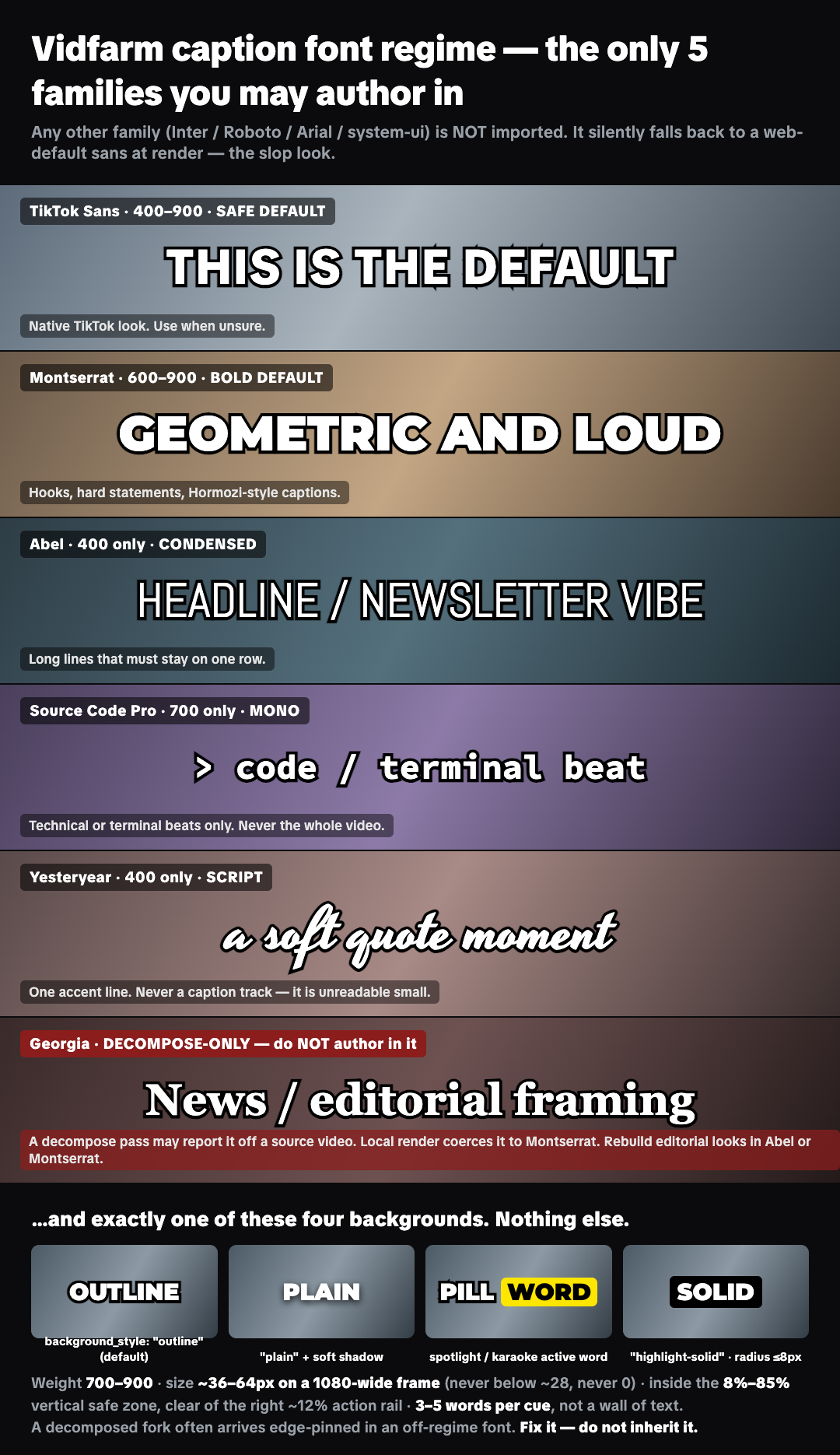
Save this sheet. Direct link: vidfarm.cc/assets/tiktok-caption-fonts.png — hand it to your AI director along with the skill. Every style below also has its own standalone card under /assets/fonts/: one family, one image, at render size.
Everything else falls back — unless you ship it
Inter, Roboto, Arial, Helvetica, system-ui, Georgia, or a client's brand font are not imported by the composition. The browser that renders your frames swaps in a generic sans, so the caption you previewed is not the caption you ship. That — not typography policing — is what the regime protects you from. Here is what that looks like: the Georgia anti-example card, the one family a decompose pass reports that you must not author in.
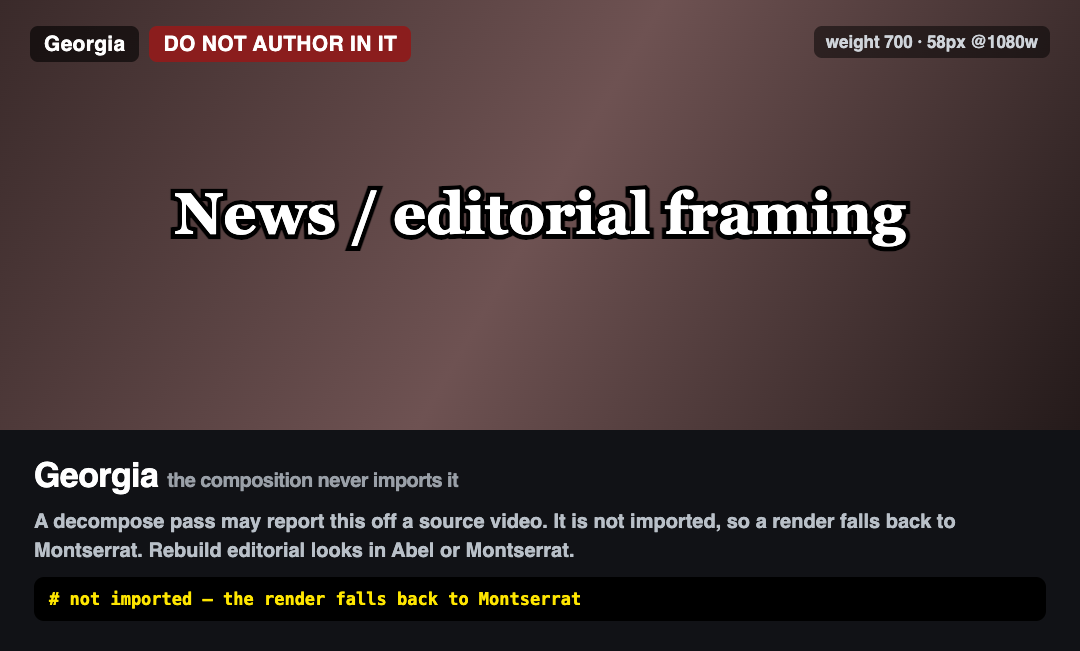
Custom fonts are allowed. If you want a sixth family, declare it inside the composition — an @font-face pointing at a real file, or a Google Fonts @import that names it. A family the composition ships is left alone: local renders do not coerce it and vidfarm qa-check does not flag it. A family with no declaration is coerced to Montserrat on a local render and reported as a font-regime finding, because that one really is broken.
So: the five families are a heavy default, not a ban. Deviate on purpose, ship the font, and check the result on a real frame.
The five families
Pass the name verbatim as font_family (editor / REST) or --font-family (devcli). Asking a family for a weight it does not ship — Abel 900, Yesteryear 700 — fakes a synthetic bold that renders smeared; pick a family that has the weight instead. Each card links its own reference image: after you style a caption, pull a still (vidfarm stills ./work --at <t>) and compare it against that one image. If the glyphs disagree, your family did not load.
TikTok Sans
Safe defaultShips 400 · 600 · 700 · 800 · 900
The native TikTok caption look. When you have no reason to pick another family, pick this one.
Standalone reference card → vidfarm.cc/assets/fonts/caption-font-tiktok-sans.png — open it beside your own still and compare.
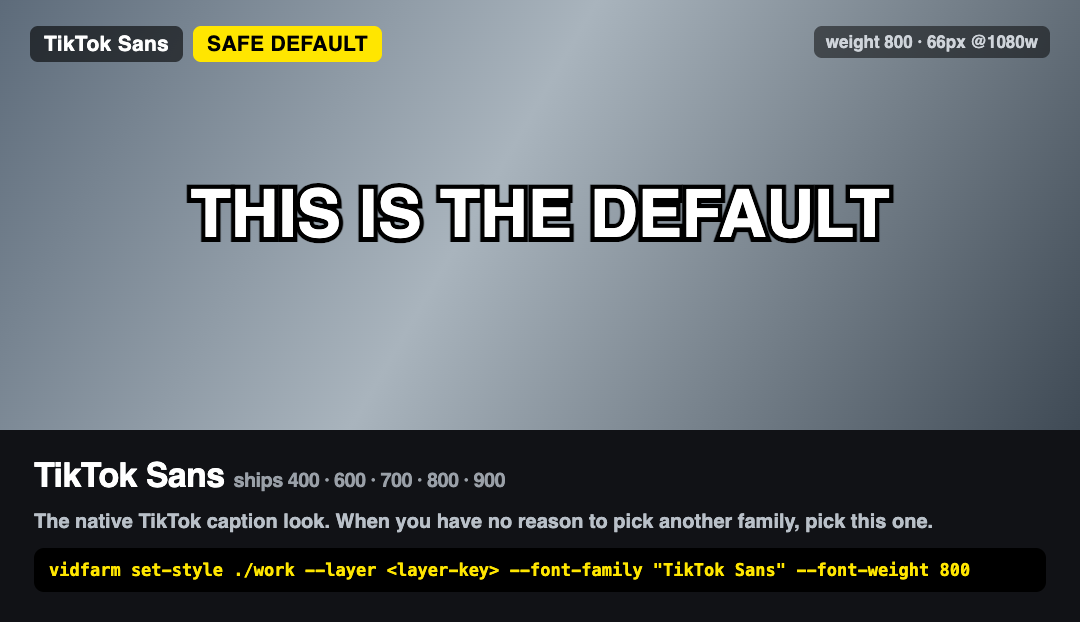
vidfarm set-style ./work --layer <layer-key> --font-family "TikTok Sans" --font-weight 800
Montserrat
Bold defaultShips 600 · 700 · 800 · 900
Geometric bold display. Hooks, hard statements, the Hormozi word-by-word caption. What every render coerces an off-regime font back to.
Standalone reference card → vidfarm.cc/assets/fonts/caption-font-montserrat.png — open it beside your own still and compare.
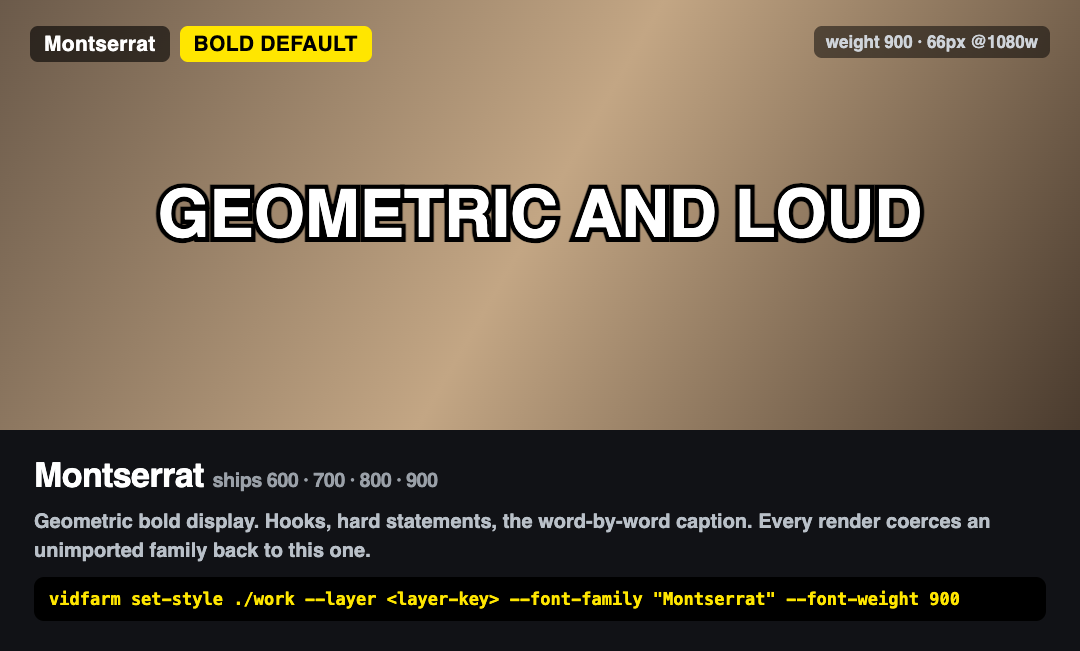
vidfarm set-style ./work --layer <layer-key> --font-family "Montserrat" --font-weight 900
Abel
CondensedShips 400 only
Headline / newsletter vibe. Reach for it when a long line has to stay on one row instead of wrapping to three.
Standalone reference card → vidfarm.cc/assets/fonts/caption-font-abel.png — open it beside your own still and compare.
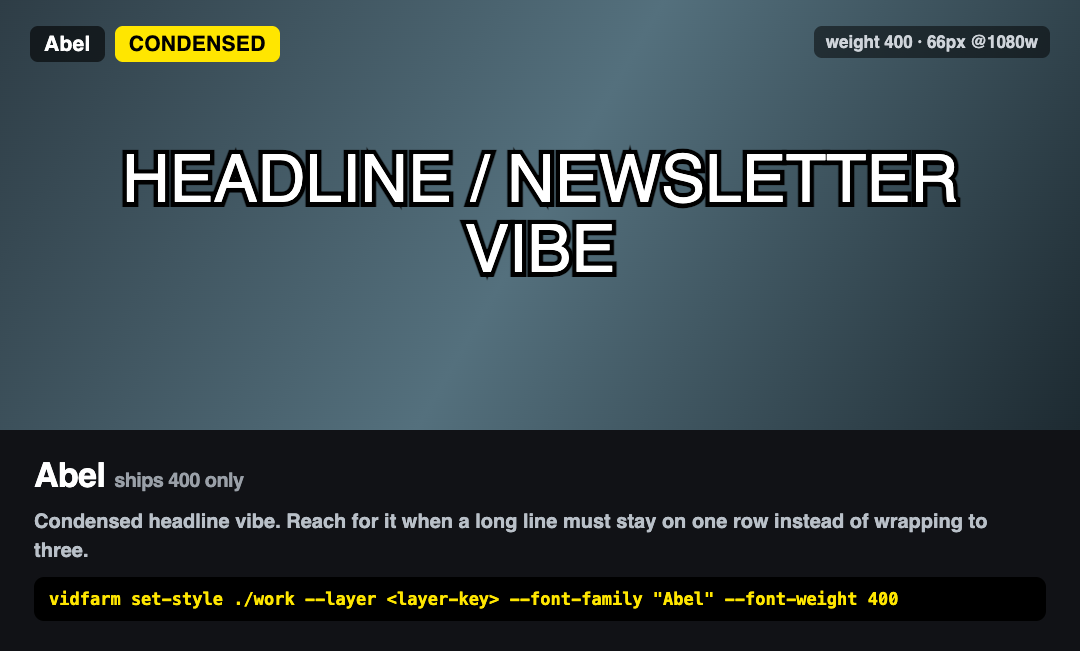
vidfarm set-style ./work --layer <layer-key> --font-family "Abel" --font-weight 400
Source Code Pro
MonoShips 700 only
Code and terminal beats. One or two shots, never the caption track of a whole video.
Standalone reference card → vidfarm.cc/assets/fonts/caption-font-source-code-pro.png — open it beside your own still and compare.
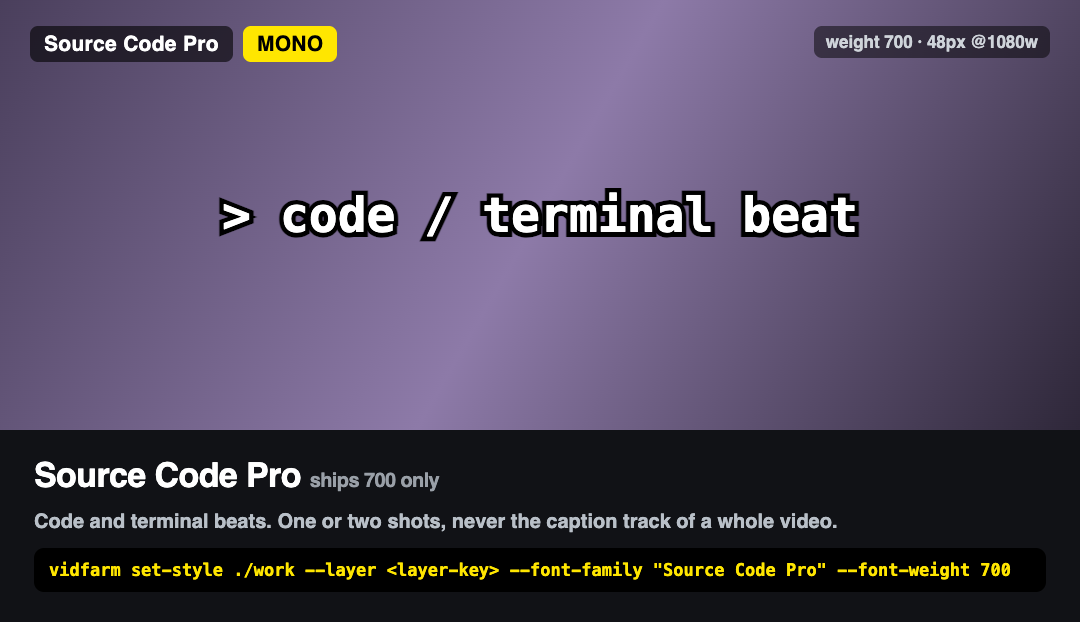
vidfarm set-style ./work --layer <layer-key> --font-family "Source Code Pro" --font-weight 700
Yesteryear
Script accentShips 400 only
Cursive. ONE accent line — a quote, a sign-off. Never a caption track; at cue size it is unreadable on a phone.
Standalone reference card → vidfarm.cc/assets/fonts/caption-font-yesteryear.png — open it beside your own still and compare.
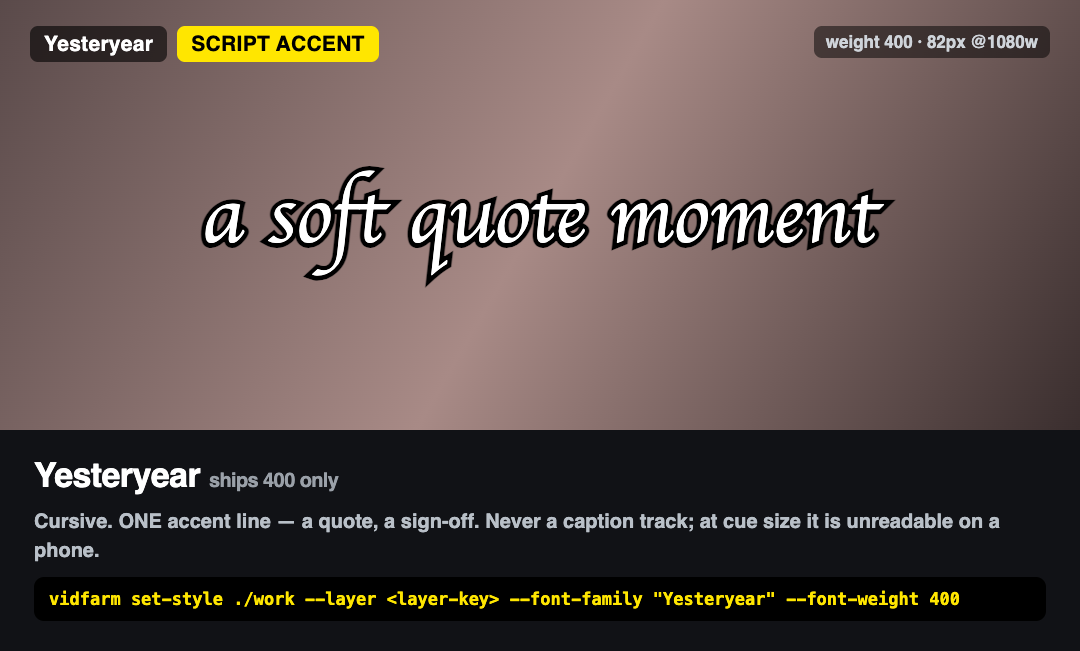
vidfarm set-style ./work --layer <layer-key> --font-family "Yesteryear" --font-weight 400
…and exactly four text backgrounds
Pick one and keep it for the whole video. Styling that flips every few seconds reads as a bug. Anything else — a padded capsule, a bordered card, a gradient fill, a frosted panel — is web furniture, not a video.
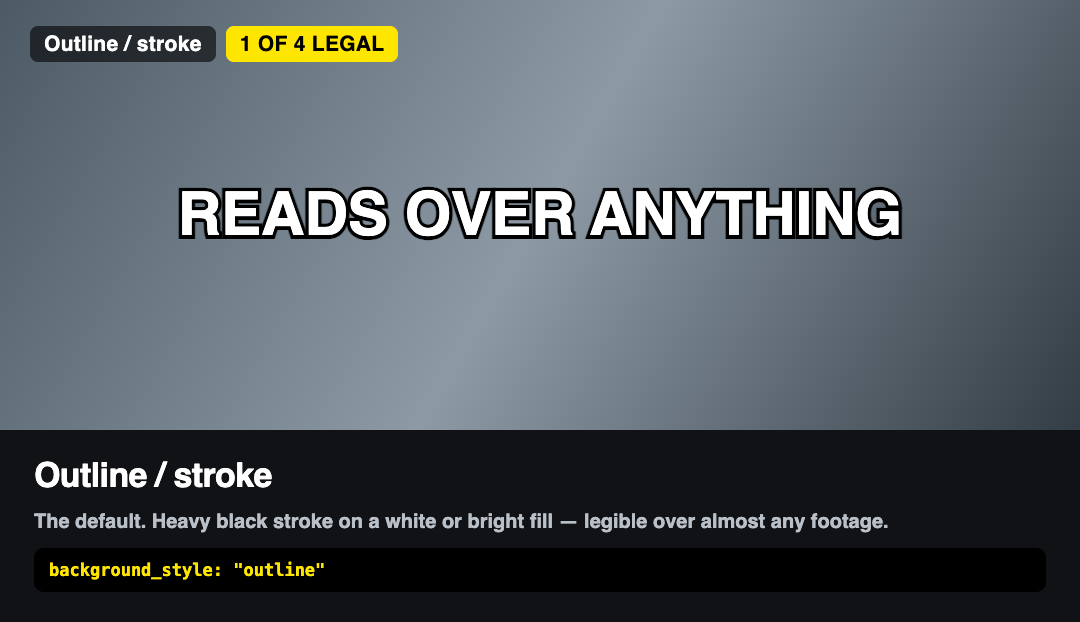
background_style: "outline"The default TikTok look. Heavy black stroke on white or a bright fill — legible over almost anything.
Standalone reference card → vidfarm.cc/assets/fonts/caption-bg-outline.png
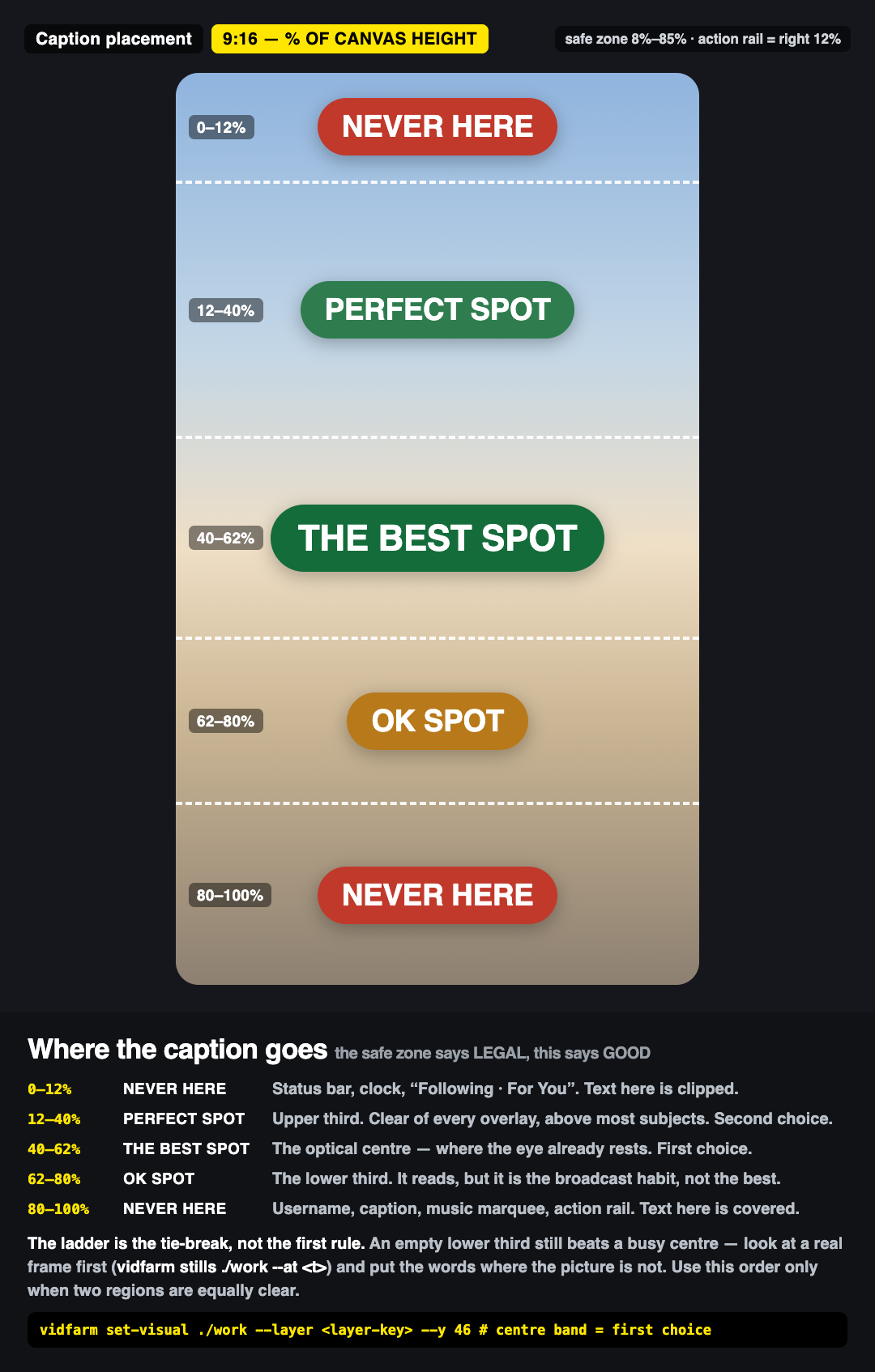
background_style: "plain"Clean and cinematic. Use it when the band behind the text is dark and calm.
Standalone reference card → vidfarm.cc/assets/fonts/caption-bg-plain.png
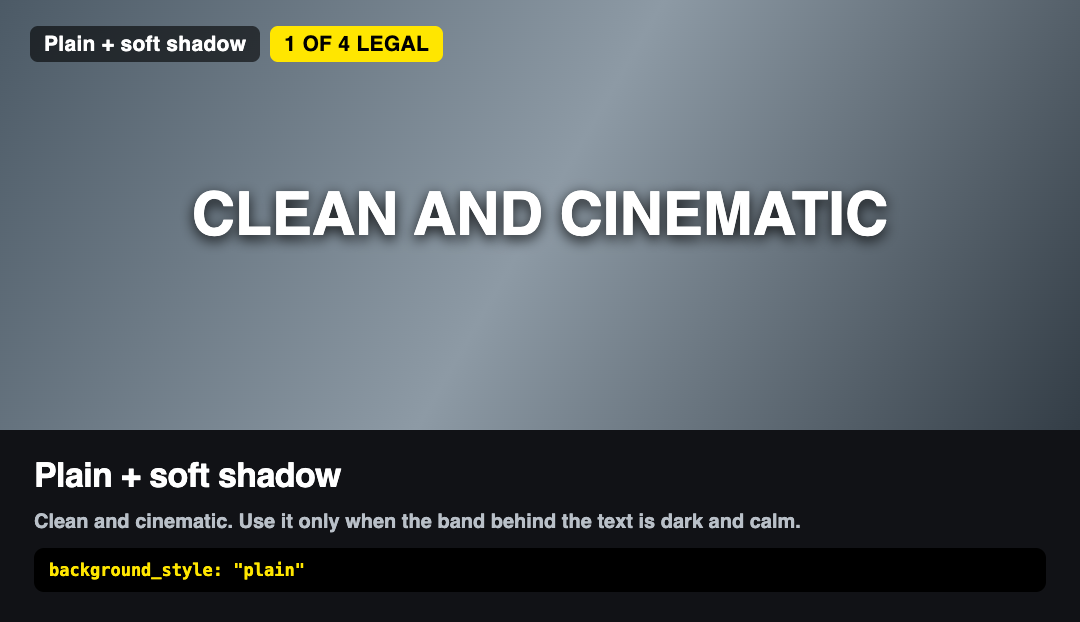
caption_style: "spotlight" | "karaoke"The word-by-word look. This is the ONLY legitimate pill anywhere in the frame, because it tracks the spoken word instead of acting as a badge.
Standalone reference card → vidfarm.cc/assets/fonts/caption-bg-spotlight.png
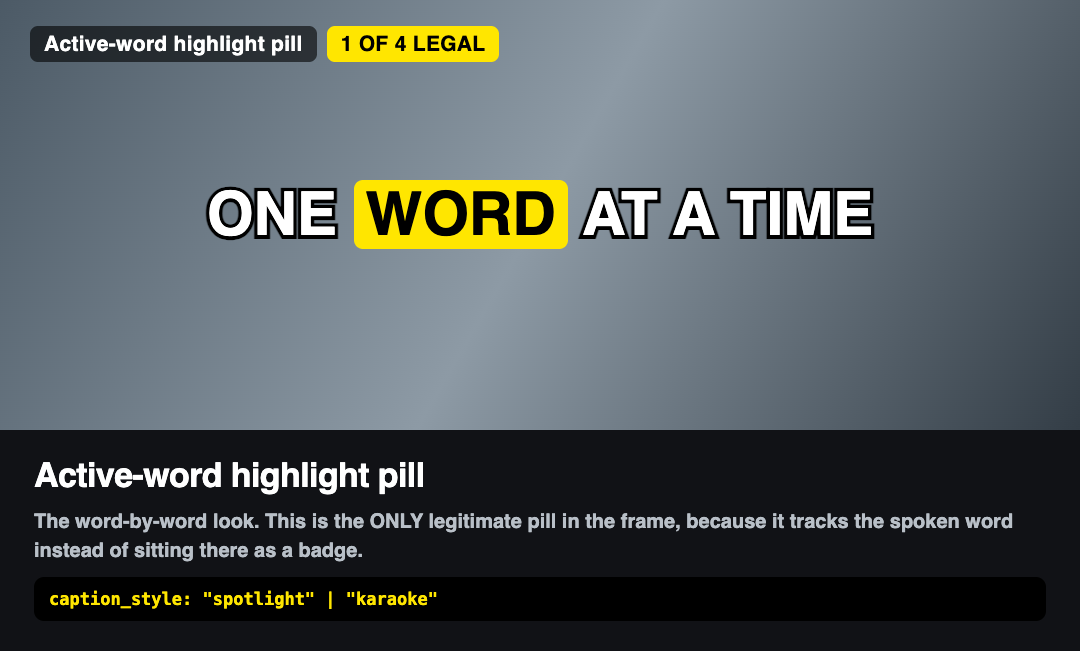
background_style: "highlight-solid"Guaranteed legibility over busy footage. A band that hugs the glyphs: radius ≤ 8px, no border, no shadow, no gradient, no blur, one text run.
Standalone reference card → vidfarm.cc/assets/fonts/caption-bg-highlight-solid.png
Where the caption goes
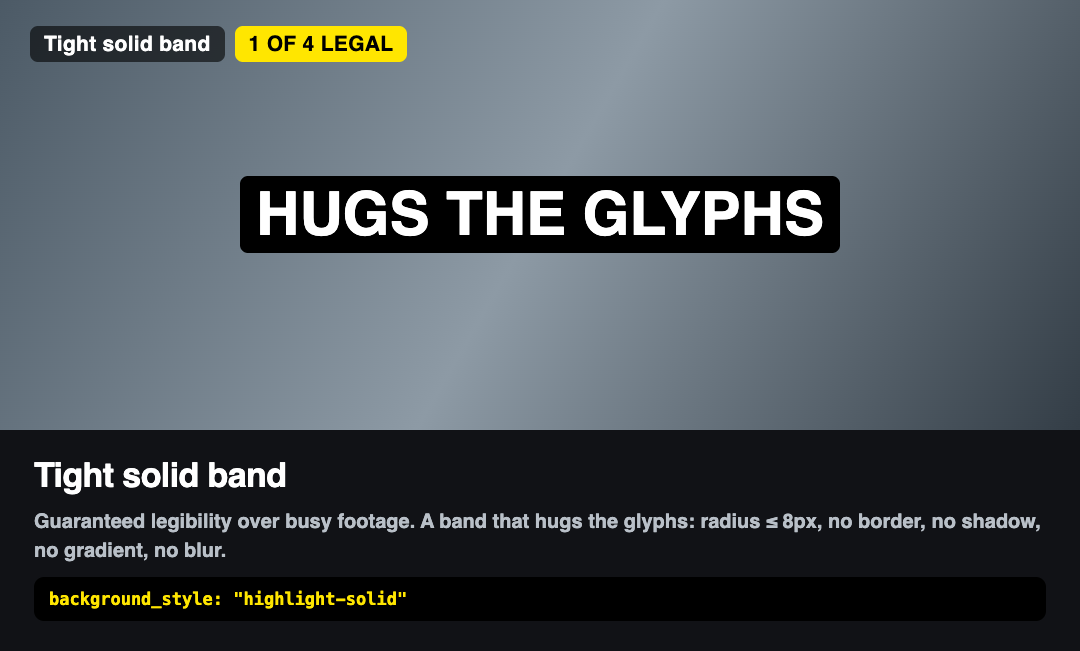
The font is half the job; the other half is the band it sits in. The safe zone (8%–85%) says where text is legal — the ladder below says where it is good, and the two disagree at the ends: 80%–85% clears the safe check and still lands under the username block. Read it top-down as a percentage of canvas height on a 9:16 frame. Same picture as an image: vidfarm.cc/assets/fonts/caption-placement.png.
0–12%
Status bar, clock, “Following · For You”. Text here is clipped.
12–40%
Upper third. Clear of every overlay and above most subjects. Second choice.
40–62%
The optical centre — where the eye already rests. First choice.
62–80%
The lower third. It reads, but it is the broadcast habit, not the best seat.
80–100%
Username, caption, music marquee, action rail. Text here is covered.
An empty lower third still beats a busy centre. Look at a real frame first — vidfarm stills ./work --at <t> — and put the words where the picture is not. Use this order only when two regions are equally clear, or when nothing in the shot argues either way. Move the text before you armour it with a plate: a caption over open sky needs no background at all.
Set it with vidfarm set-visual ./work --layer <layer-key> --y 46 (editor / REST: set_layer_visual). Wide captions also stay clear of the right ~12% action rail — a centred box at x:10 width:80 is safe.
The rest of the regime
- Weight 700–900. The TikTok caption look is heavy. Light weights are a title-card choice, not a caption choice.
- Size ~36–64px on a 1080-wide frame. Below ~28px is unreadable on a phone; 0 is invisible. Above ~64px is a hook-word size — one to three words, on purpose.
- Inside the 8%–85% safe zone. The phone UI covers the top ~8% and the bottom ~15%, plus the right ~12% action rail. Text pinned to an edge is literally clipped.
- Put the words where the picture isn't. Inside the safe band, place text over the emptiest part of the frame — open sky, a blank wall. A caption there needs no plate at all.
- When the frame does not choose for you, go by the ladder — centre (40%–62%) beats the upper third (12%–40%), which beats the lower third (62%–80%). See “Where the caption goes” above; the lower third is a habit from television, not the best seat on a phone.
- 3–5 words per cue. Page long narration into kinetic cues instead of one static wall of text.
- A decomposed fork inherits the source's font and placement. Fix it to this standard — never inherit it.
- Bringing your own font is legal; leaving it unimported is not. Add the
@font-faceor Google Fonts@importto the composition, then verify on a rendered still — not in the editor preview, which loads fonts your render machine may not have. - Compare, do not assume. One image per family and per background lives under
/assets/fonts/. Open the card for the family you chose next to your own frame; a fallback is obvious side by side and invisible on its own.
Let your AI director enforce this for you
The VidFarm skill ships this regime as the default, and vidfarm qa flags a composition that drifts off it. Install the skill, hand your agent a brief, and the captions come out on-standard — from $0.01 a video.