Swap the on-screen actor, keep the format
Take a talking-head template and replace the person on screen with your own character — while the timing, captions, and cut rhythm stay exactly as they are.
Key takeaways
- Actor replacement regenerates a scene conditioned on a reference image — it's a new AI clip, not a face pasted on the old body.
generate_layerwithintent: replace_layercopies the slot's timing and full-canvas geometry automatically.- Consistency is mechanical: feed the same character sprite card as the reference on every generation.
- On most video providers only the first reference image conditions the clip — pick your single best view and over-describe in text.
The idea: same scene, new person
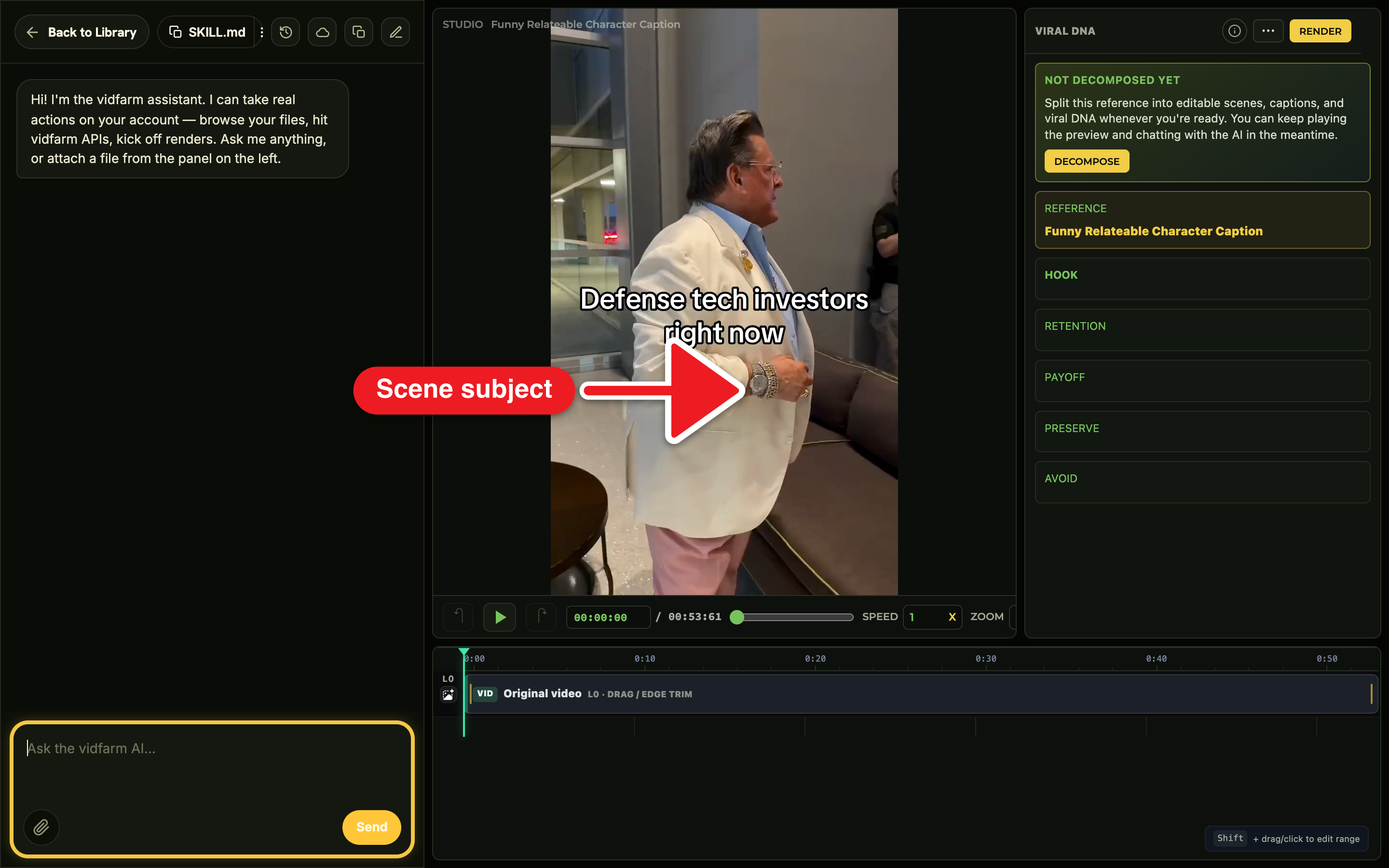
You keep everything that makes the template work — its pacing, its captions, its energy — and change only who's on screen. The copilot doesn't composite a face onto the original footage; it regenerates that scene as a fresh AI clip, told to reproduce the same action but with your actor. Because it uses generate_layer with intent: replace_layer, the new clip inherits the old slot's timing and full-canvas framing automatically.
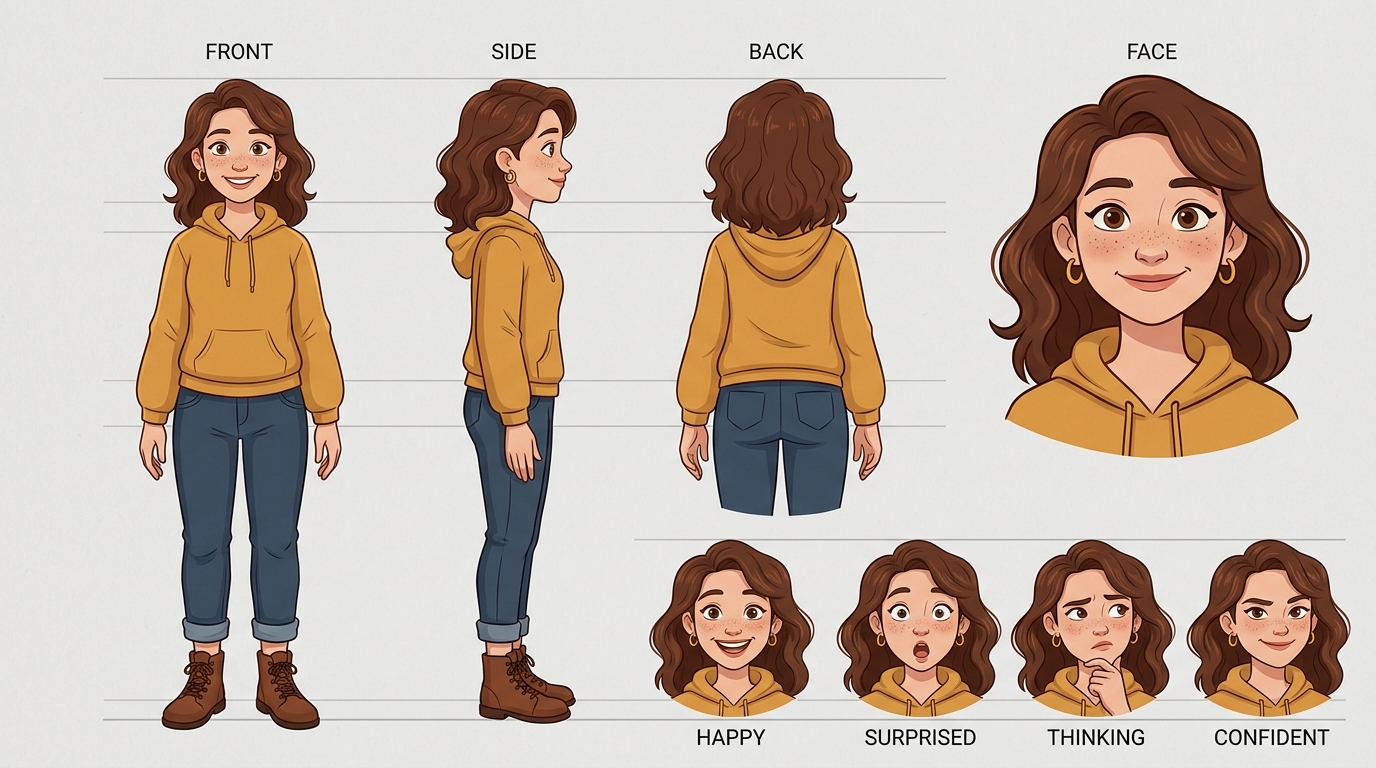
The engine behind consistency is a reference image. When you fork and decompose a source video, VidFarm builds a cast array of the recurring people (each with an isolated reference_url); and any character you save lives at /files/characters/<slug>/ as a sprite card. You pass that reference on the generation so the model knows exactly who to draw. Master this once and it powers every generated shot — see Character consistency across shots .
Manual walkthroughDo it yourself (the web UI)
-
Fork a talking-head template
On the Discover feed , open a character-driven / talking-head format and click into the Trackpad Editor . Forking a template that decomposes cleanly gives you a populated
cast— the copilot can then resolve "the guy in scene 2" against it. -
Set up a reusable character
Make the actor you're swapping IN once, so you can reuse them forever:
"Create a recurring character named Zara — a red fox mascot in a teal bomber jacket, cream chest fluff, warm palette. Save her sprite card to My Files."
The copilot generates the image (image gen is cheap) and saves
character_sprite_card.pngunder/files/characters/zara/, annotated so future sessions find it. -
Replace the actor in a scene
Now swap her into the shot, keeping the scene's timing:
"Replace the actor in scene 2 with Zara, same pose and energy, 9:16, keeping the scene's timing."
Crucially, copy the path to Zara's character reference card into the chat — e.g.
/files/characters/zara/character_sprite_card.png— so the generation locks onto the exact character instead of leaving the copilot to guess which reference to grab. Point it at the precise card and every shot stays on-model.The copilot fires
generate_layer intent: replace_layeron that scene's key, with that sprite-cardview_urlasinput_references. Because AI video is expensive, it asks your permission on cost before it generates. -
Re-voice if you need to
If the original narration no longer fits, re-voice it:
"Keep the script but say it in a new voice for Zara."
That runs
/audio/regenerate-speech(an approximation, not a clone), mutes the old span, and adds anadd_layer kind=audiotrack. -
Re-create music if you need to
If the swap changes the mood, refresh the soundtrack too — either AI-generate a fresh track or drop in one of your own audio files:
"Replace the background music with an upbeat track that matches Zara's energy." generates a new score (ElevenLabs Music). Or "Use badge-anthem.mp3 from My Files as the music" lays down a track you already own — just copy its path from My Files into the chat.
Either way the copilot adds it as its own
add_layer kind=audiotrack so it mixes under the narration. -
Review, render, approve
Wait for the pending generation to auto-swap onto the timeline, scrub it, and say "Looks good, render it." The copilot confirms first, renders, and you approve into a shareable post .
Where to go next
You've swapped an actor while keeping a template intact. Lock your character down for every future shot, or bring a still image to life:
Recast a template now
Fork a talking-head template, save a character sprite card, and regenerate one scene with your own actor. AI video gen needs a BYOK key and the copilot confirms cost first.
Open the Discover feed