Make your first VidFarm video in 3 minutes
Pick a proven template, tell the AI editor one thing to change, render it, and post it. Then meet the one-line trick that lets an AI agent do all of this for you.
Key takeaways
- VidFarm gives you viral templates you fork instead of starting from a blank timeline.
- You edit by chatting with an AI copilot — no dragging clips.
- One command installs the agent skill so Claude/Codex can make videos for you end-to-end.
- Cloud renders start at $0.01; running it locally is free.
The whole idea, in one line
You never start from scratch. You find a short that already works, fork it into your own editable copy, swap in your message or footage, and render. VidFarm's AI copilot does the editing while you describe the outcome in plain English.
The fastest way to see it is to just do it. Below is the same five-step path the AI follows when you ask it to "make me a video" — done by hand first, so you understand every screen, then handed to an agent.
Manual walkthroughDo it yourself (the web UI)
-
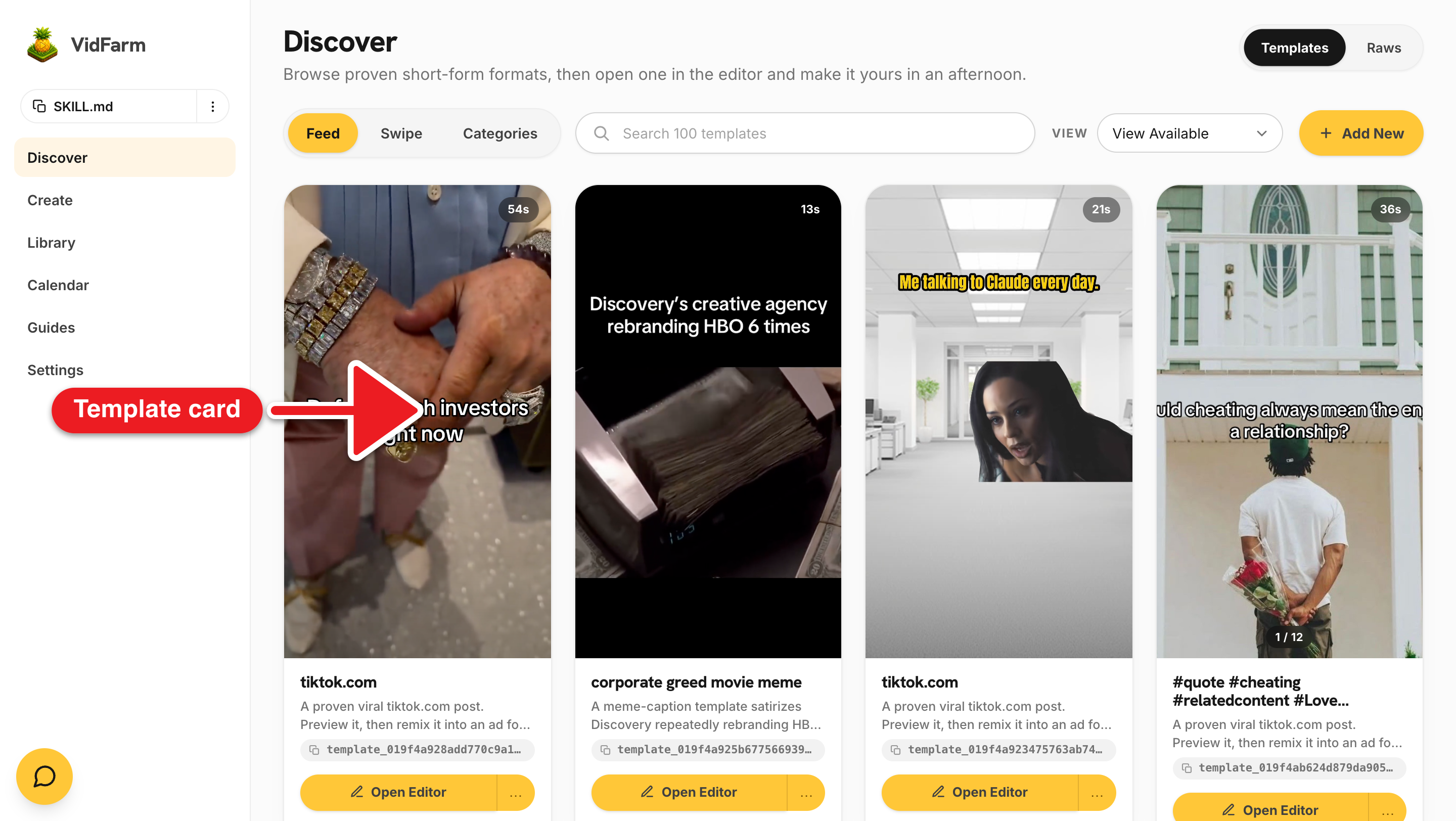
Open the Discover feed
Head to the Discover feed . Every card is a real short-form video that performed well — a template you can fork. Scroll, or use the search to find a format that fits your offer (e.g. "meme caption", "product tease").
-
Fork a template into your own copy
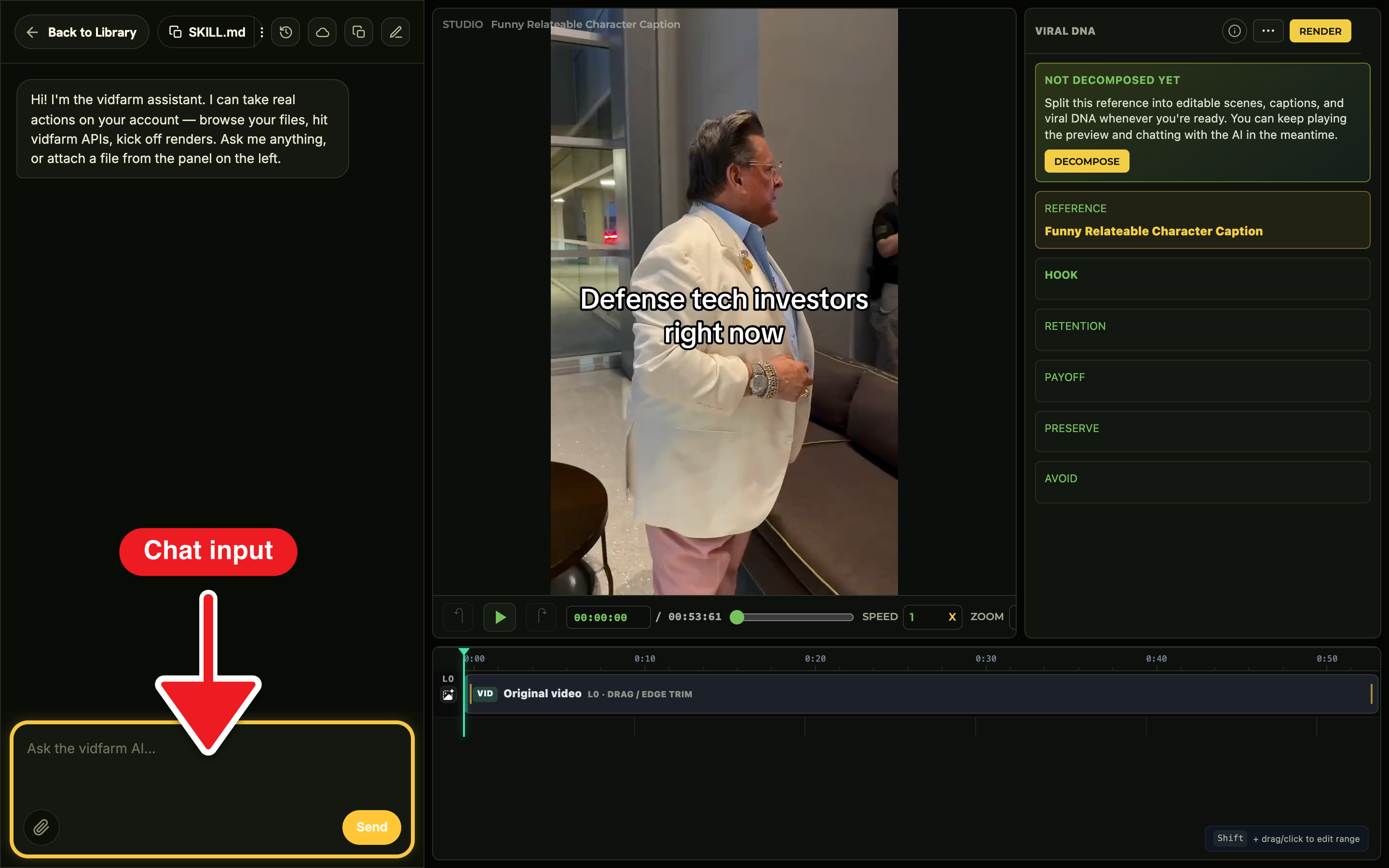
Open a card you like and Fork it. Forking clones the composition into your workspace and drops you straight into the Trackpad Editor — a real timeline editor, but with an AI copilot riding shotgun.
-
Tell the AI editor one change
In the editor's chat dock, describe the edit in plain English — for a first video, keep it to one thing: "Rewrite the caption to say: Your hook here." Watch the copilot apply it live on the timeline. Iterate until you like it.
-
Render to MP4
When it looks right, ask the copilot to render (or hit render). VidFarm always confirms before rendering — no surprise charges — then produces a finished MP4 in the background. You'll see it appear when it's ready.
-
Approve & share
Approve the render into a shareable post. You land on the approved posts page with a copyable link, a download button, and a Schedule action to push it to your connected channels.
The #agent-skill trickLet an AI agent do it for you
Everything above — discover, fork, edit, render, approve — is also a set of plain HTTP calls. That means an AI coding agent can do the whole thing for you. You just install VidFarm's agent skill once.
The skill is called vidfarm. It teaches Claude Code, Codex, or any capable agent how VidFarm works — the three paintbrushes, the REST/CLI playbook, the whole director workflow. Grab it right here — copy the full playbook, or open the ⋮ menu for the one-line install command:
vidfarm
Copy the full REST + CLI playbook into your agent, or grab the one-line install command from the ⋮ menu.
-
Install the skill into your agent
Run the install command (from the ⋮ menu above) in the project where your AI agent lives — it pulls the
vidfarmskill from GitHub so the agent gains VidFarm's operating knowledge. Or paste the copied playbook straight into your agent's context. -
Give the agent your API key
Back in Settings → Developer , reveal and copy Your vidfarm API key, and set it as
VIDFARM_API_KEYso the agent can authenticate. -
Just ask for a video
Now you can literally say: "Find a trending template for my offer, fork it, recaption the hook, render it, and give me the share link." The agent runs the whole pipeline.
Where to go next
That's the whole loop. From here, set up your account properly, learn the mental models, and try the guided edit demos:
Make your first one now
You've seen the whole path. Open the Discover feed, fork a template, and ship a short in the time it took to read this. Cloud renders start at $0.01.
Open the Discover feed