The three paintbrushes
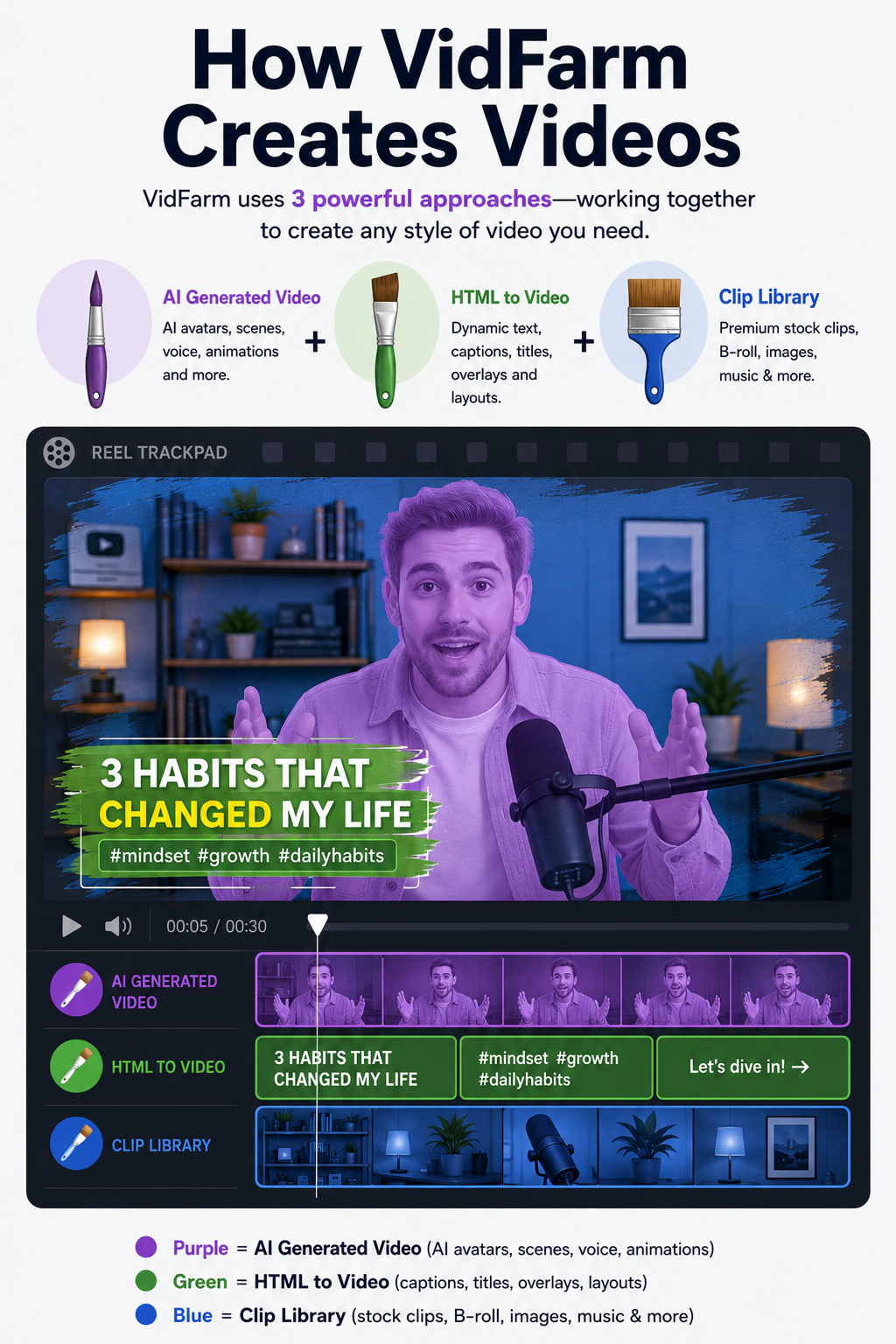
VidFarm doesn't burn expensive AI credits on everything. Every visual on the timeline is painted with one of a few brushes — and for bulk creation it's usually far cheaper to reach for the first two before the last.
Key takeaways
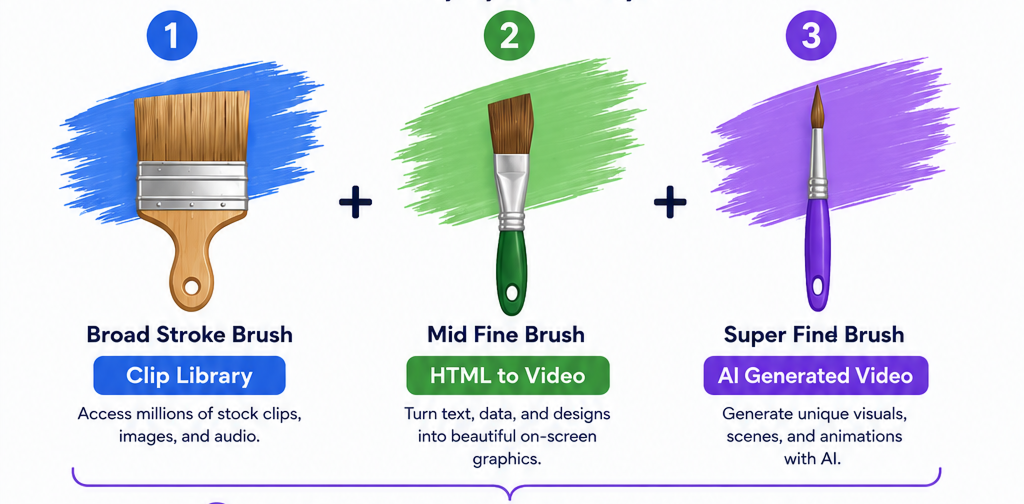
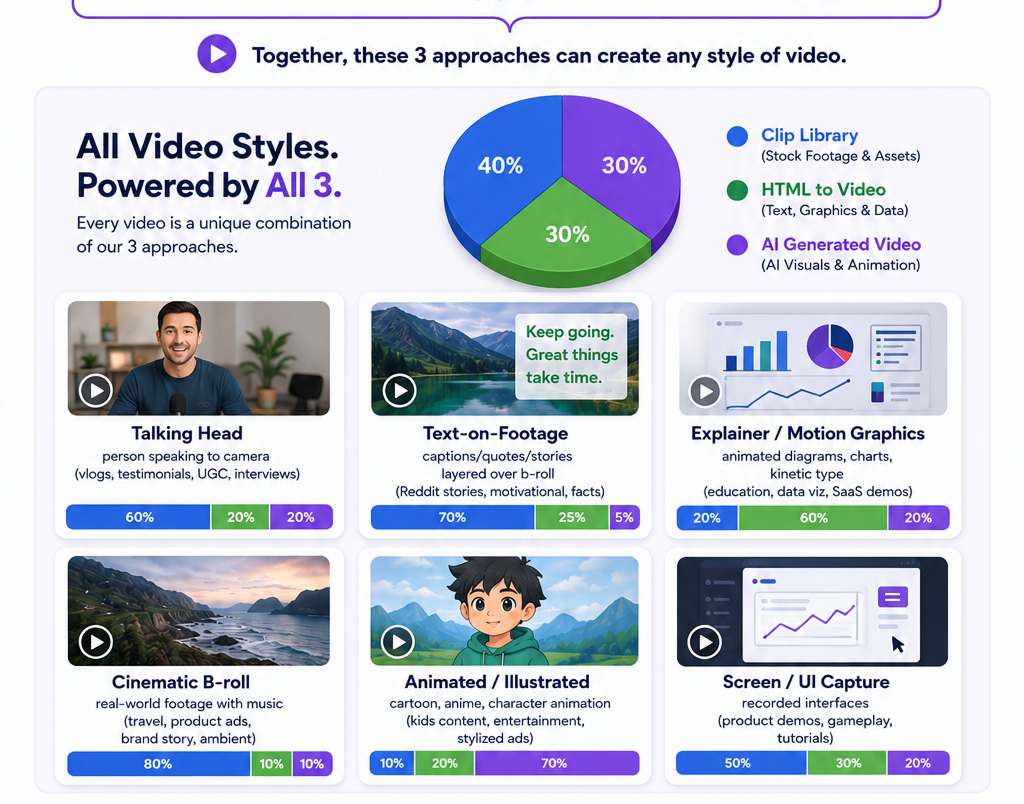
- Every shot is painted with one of three paintbrushes: raw clips, HyperFrames motion graphics, or pure AI generation.
- There's a fourth, orthogonal idea — the reusable asset library: owned or generated-once-then-reused forever.
- Reach for the brushes cheapest first. AI video is the priciest brush ($1–$10+), so it's the last resort, not the default.
- On-screen text is always a HyperFrames graphic — never AI generation.
- Every decomposed fork carries a replication harness with two plans: (A) cheap & efficient and (B) best quality.
Founder-friendly and pragmatic
VidFarm is founder-friendly and pragmatic: we do not burn expensive AI credits on everything. Think of a finished short as a painting. Every visual on the timeline — the hook shot, the b-roll, the caption, the logo sting — is painted with one of three "paintbrushes." For bulk creation it's often combinatorially cheaper to reach for the first two before the third.
Getting this mental model right is the single biggest lever on what a video costs. A caption swap and a bit of remixed footage can cost pennies; the same beat done with generated AI video can cost dollars. Same result on screen, a 100× difference on the bill. Here are the brushes, cheapest first.
raw_clip · the workhorseBrush 1 — Raw clips
The first brush is raw clips (raw_clip): cut and remix footage from existing long-form or short-form video. This is the workhorse for scene replace. Source it in cost order:
- Your own library first — pull from your /raws and /files folders (already yours, free).
- Hunt new footage — mine fresh clips out of a URL or VOD with an AI hunt (
vidfarm raws scan); local compute is free. - Only then generate — reach for a brush higher up the cost ladder if no clip covers the beat.
A background video plus a foreground video (greenscreen / picture-in-picture) covers most "video meme" formats with zero generation. Learn the full sourcing flow in Sourcing & clipping raws with AI .
hyperframes · cheap & deterministicBrush 2 — HyperFrames
The second brush is HTML/JS HyperFrames (hyperframes): video-from-HTML using CSS and declarative animation, anime.js/GSAP motion, animated image and text elements, and data-viz. It's cheap, deterministic, and infinitely re-themeable — change a color or a word and re-render for free.
ai_gen · the last resortBrush 3 — Pure AI generation
The third brush is pure AI generation (ai_gen): AI image, video, voice, and music. It's the most expensive brush — AI video especially ($1–$10+ per clip). Save it for a beat that genuinely can't be covered by a clip or a HyperFrame: a hero shot you have no footage for, a face that has to be invented, a scene that only exists in your head.
reusable_asset · generate once, reuse foreverThe fourth idea — reusable assets
Orthogonal to the three brushes is the reusable media asset library (reusable_asset): logos, stickers, reactions, b-roll, a-roll, your brand media kit. These are either owned or AI-generated once and then reused forever — greenscreen a subject a single time, then chroma-key that overlay into video after video. So the four method values you'll see in a replication harness are raw_clip, hyperframes, reusable_asset, and ai_gen.
cheap-first vs best-qualityTwo replication harnesses
When VidFarm decomposes a template, it produces two rebuild plans so you can pick your trade-off. Both are anchored to the same viral DNA — they just spend differently.
(A) Cheap & efficient (the default) — recaption text with set_captions/set_layer_text; build bg+fg video memes; animate HTML and images with HyperFrames; reuse library media or generate-once-reuse; greenscreen; remix raw clips out of long-form. Only if genuinely needed does it reach for an AI image, and AI video/voice/music dead last.
(B) Best quality — AI video generation by default for hero scenes; storyboard with an AI image first (cheap stills lock composition and subject); then adversarially grade the result with a coding agent (Claude Code / Codex) — render, critique against the harness, iterate. VidFarm presents both plans and recommends (A) unless you've asked for premium or the budget clearly covers it.
replication-harness.json (also surfaced as editor_context.replication_harness). It carries a summary, a recommended_strategy, per-beat scene plans with a method + fallback_method + est_credits, and — crucially — a viral_dna_guard on each beat.The load-bearing rule
Anchor every asset and paintbrush choice to the harness — the viral_dna, its emotional_punch, the editor harness, the static-vs-pivot map. Reuse and re-skin the dressing; preserve the DNA. Never slap a sticker or logo on, or swap the footage of, a load-bearing beat (the hook, the reveal, the payoff) in a way that flattens what made the original work. Cheap doesn't mean careless — it means spending your credits only where they change the outcome.
How a director applies it
- Watch the reference video and break it into beats — hook / body / reveal / payoff.
- For each beat, pick the cheapest brush that preserves the DNA: can you just recaption? A bg+fg clip? A HyperFrame graphic? A reused asset? Only then AI-gen.
- Execute the cheap plan beat-by-beat:
raw_clipvia a hunt +set_layer_media;hyperframesas a CSS/anime.js layer;reusable_assetpulled from/filesor generated once;ai_genonly where the beat demands it. - Honor every
viral_dna_guardalong the way.
Where to go next
Now that you know how VidFarm thinks about sourcing, learn where all that footage lives and how to grow the library:
Paint cheap, preserve the DNA
The whole game is reaching for the cheapest brush that still keeps the video working. Fork a template, read its replication harness, and rebuild it beat-by-beat — cloud renders start at $0.01.
Open the Discover feed