Strategy & Tactical Video Production
Planning Ahead for Best Video Relevancy — the full pro session. Do the customer homework first, run the consultation, source your raws, remix proven templates, bulk-generate under a cost cap, gate every video on a best-practices harness, and hand the output to affiliates on a schedule.
Key takeaways
- The quick win is a product explainer. The real payoff is bulk-generating videos and handing them to affiliates who each spend one minute a day posting.
- Do the homework before you generate anything:
about-offer.mdandabout-customer.mdin one workspace folder. Relevancy comes from the brief, not from the render. - The consultation compounds — offer → awareness stages → persuasive angles → desires & hooks. Each step reads the last one's output.
- When the output is wrong, the premise is wrong. Correct the agent's model of your customer and regenerate; don't hand-fix the video.
- Every video is generated against a best-practices harness: hook, curiosity loop, payoff, engagement bait.
- More channels and more affiliates multiply your viral surface area — that is the compounding variable, not any single video.
Quick win vs. bulk generateWhy the pro workflow
Most people open VidFarm, fork a template, and ship one video. That works — and it is the right first move. But it is the quick win, not the strategy.
The quick win is a product explainer: tell your desktop agent what you sell, let it build the video, approve it. The session below opens with exactly that, and it takes minutes. The reason to keep watching is what comes after — bulk generate and distribute to affiliates. Bulk generate gets you a lot of good videos instead of one. Distribution hands them to people who each spend about a minute a day uploading, in their own country, on their own accounts.
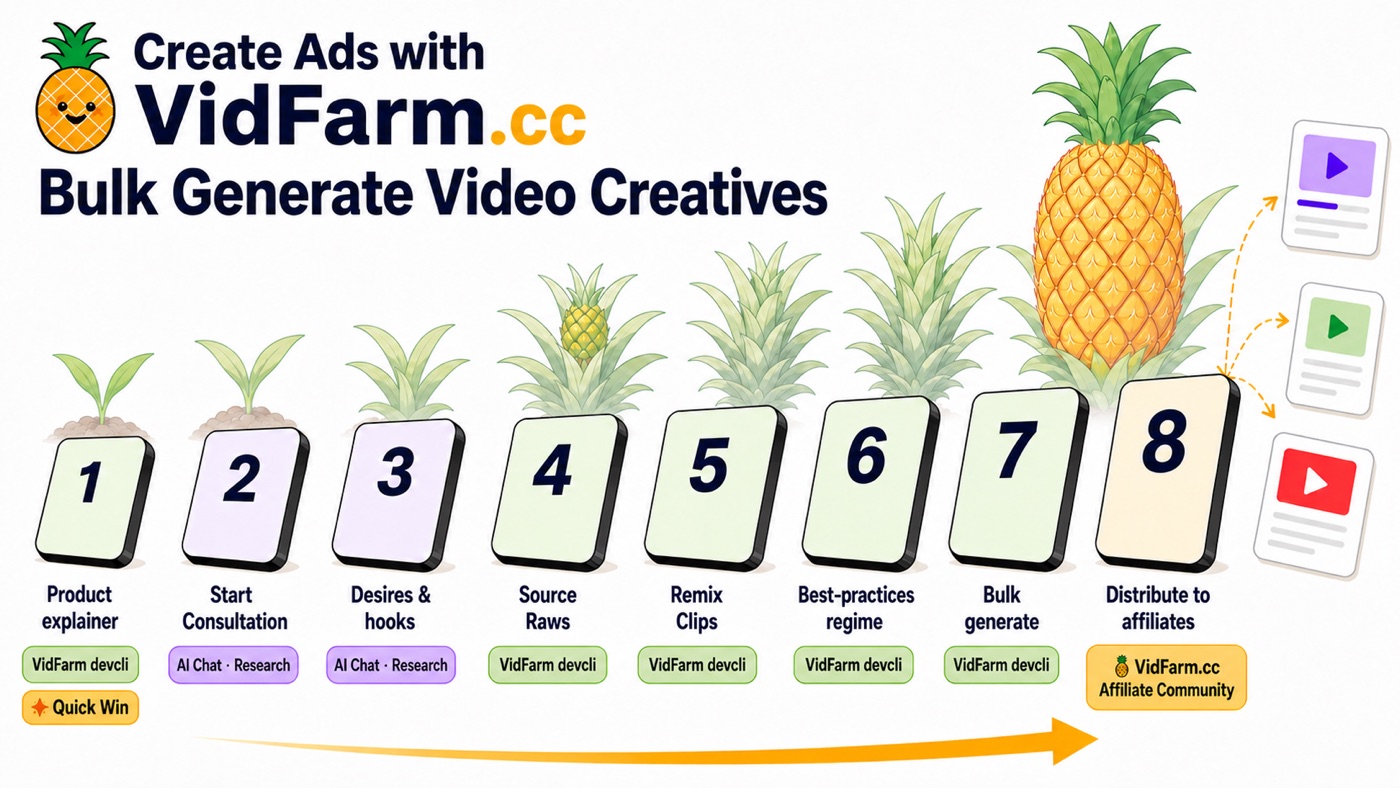
Everything between the quick win and the affiliates is the tactical part. And the tactical part only works if the strategy underneath it is real — which is why the session spends its first fifteen minutes on homework rather than on video.
about-offer.md and about-customer.mdStep 1 — do the homework first
Make a workspace folder on your desktop. Put two files in it: about-offer.md and about-customer.md. That folder is the thing your agent reads before it writes a single line of script.
This is the step founders skip, and they skip it for a predictable reason: they love their idea, so they would rather build than interrogate. The work here is problem-based — not "what did I make?" but "what is the customer actually stuck on?" It is the work you probably should have done before you started, and doing it now is what makes every generated video relevant instead of merely well-produced.
-
Write about-offer.md
What you sell, who it is for, what it costs, what the dream outcome is, and what you are not allowed to claim. No time? Point your agent at your website or your codebase and have it draft the file — then correct it. A draft you edit beats a blank page you avoid.
-
Write about-customer.md
The substance is customer psychology, not demographics. Run the five whys on the problem until you hit something that sounds like a person rather than a persona. Then go read your customers' problems in their own words — Reddit threads, support tickets, review sections. Paste the good ones in verbatim.
-
Keep it one folder
Both files live together, and every later step references that folder. This is the whole trick: the folder is the shared context, so the agent never has to guess who it is writing to.
Awareness stages, angles, hooksStep 2 — run the consultation
With the folder in place, run VidFarm's consultation interview and let it compound. Each step reads the previous step's output, so the value builds instead of resetting.
You can start it in the web chat to see the shape of it, but the session runs it properly from VS Code with a desktop agent pointed at the VidFarm skill, writing everything it learns back into the offer folder. The interview gets answered in a scratchpad.md covering offer, pricing, dream outcome, awareness level, objections, assets already on hand, and off-limits claims.
From there it compounds: awareness stages → persuasive angles → desires and hooks. By the time you reach hooks, the agent is writing from your customer's own vocabulary rather than from a generic prompt. The mechanics of that funnel are covered in depth in the viral video funnel chapter — this session is what running it end to end looks like.
The loop that mattersStep 3 — read the output and correct the premise
In the session, the hooks come back and they are judged wrong. That is the most useful ninety seconds in the whole recording.
The reflex is to rewrite the hooks. The correct move is to find out why they are wrong — and the answer is almost always that the agent's assumption about the customer is off. So the assumption gets corrected in the folder, and desires and hooks get regenerated from the fixed premise. New output, right this time.
This is also why the homework is worth doing properly. A wrong premise is cheap to fix in a markdown file and expensive to fix across a batch of rendered videos.
The production pipelineStep 4 — source your raws
VidFarm's production pipeline has three stages, and the first one is the one people under-invest in: what raw material is available for the agent to cut with.
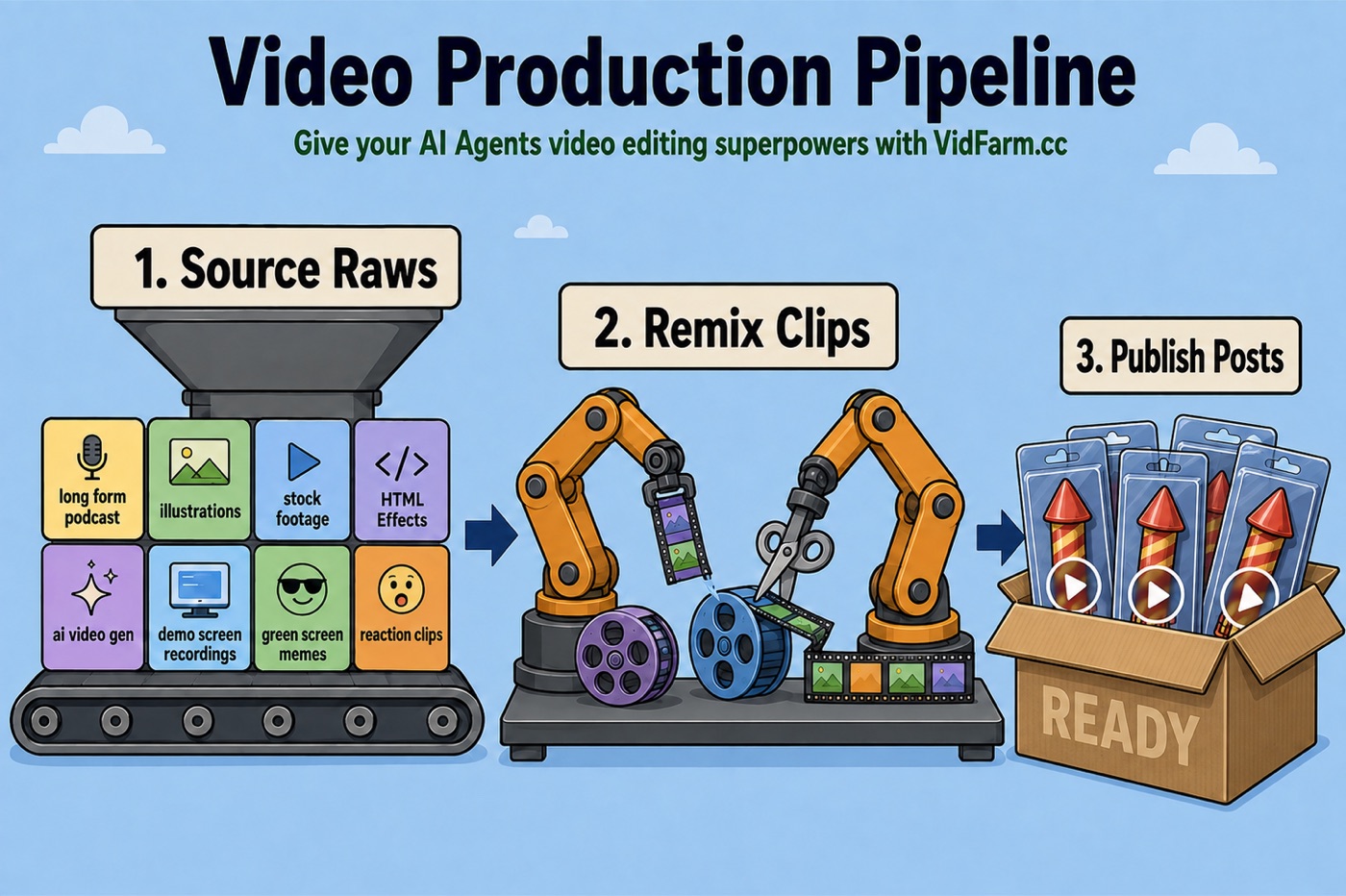
The raw types that feed the pipeline are broader than most people assume: long-form podcasts, illustrations, stock footage, HTML effects, AI video generation, demo screen recordings, green-screen memes, and reaction clips. The session clips scenes straight out of a YouTube video, tours the Discover feed and its template categories (talking head vs. point of view), then sorts everything into folders the agent can reference by name.
- Clip from source URLs rather than uploading — cheaper, faster, and it keeps the original audio.
- Browse the public raws catalog by category — curated shelves like scroll-stoppers, green-screen and reaction clips are the cheapest pool for one video and a ready-made pool for fifty.
- Ask for a sticker pack — one sheet of cut-out graphics you reuse across every video in the batch, so the whole set looks like it came from one brand.
- Name your folders for what they are — the agent references them by name in the prompt, so
raws/greenscreen-reactions/beatsraws/batch2/.
Details and the hands-on version live in sourcing & clipping raws with AI and the three paintbrushes .
Two agents, jobs in parallelStep 5 — pick templates and remix
You do not need to invent a format. Browse Discover by category, have an agent suggest template IDs worth remixing, and run the jobs in parallel.
The session opens a second agent purely to shop for templates — it reads the Discover categories and comes back with IDs. Two formats get picked: the meme re-caption and the product explainer, and both jobs run at the same time. Meanwhile the first explainer is re-run in hybrid mode under a 10¢ AI cost cap, which is the setting that makes running many jobs at once a rational thing to do.
Anatomy of a viral videoStep 6 — gate everything on a best-practices harness
When the first talking-head scripts came back bad, the fix was not a better prompt. It was a written standard the agent generates against every time — a HARNESS.md living next to your offer folder.
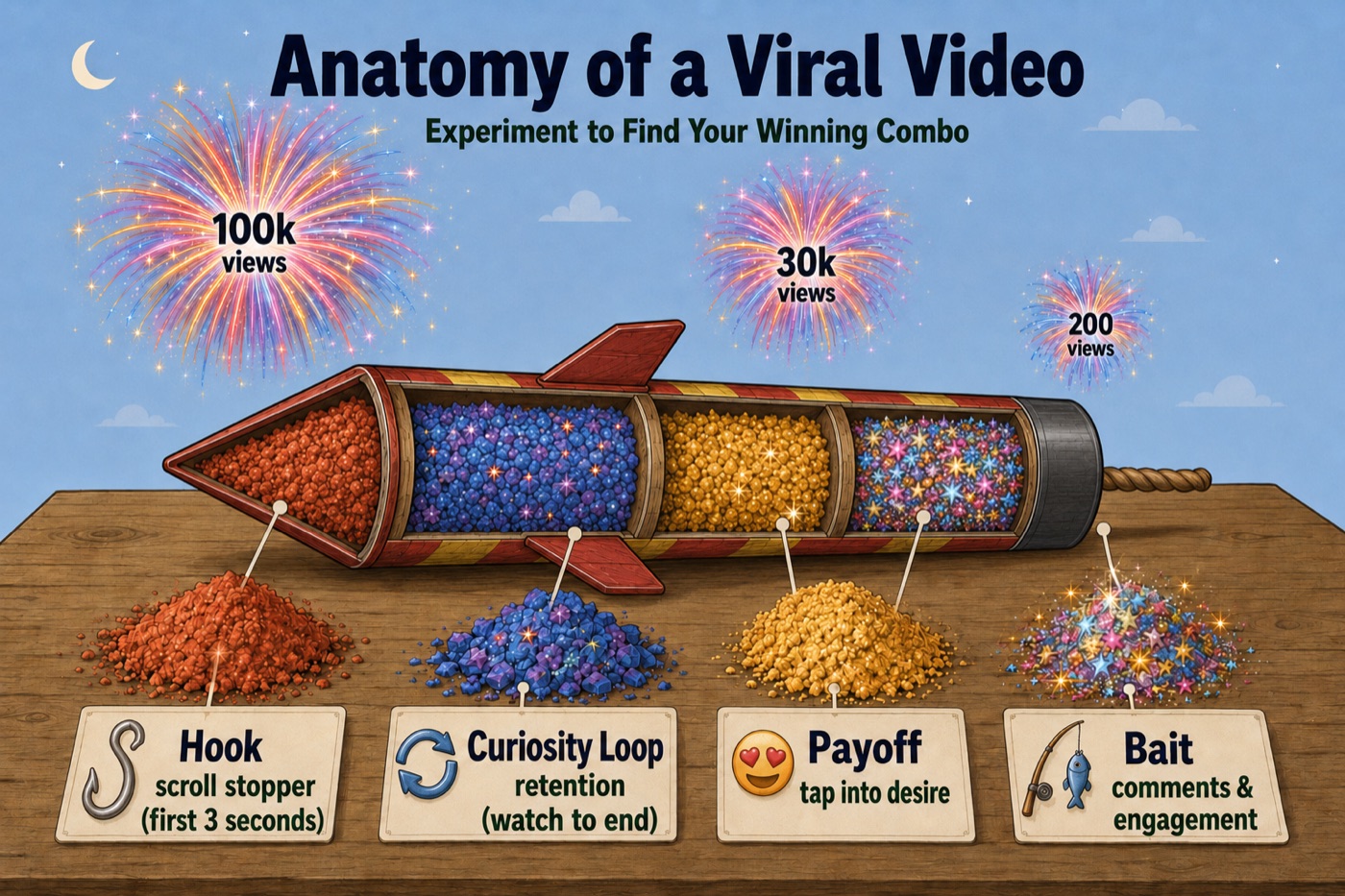
- Hook — the scroll stopper. And the honest correction from the session: it is not the first three seconds. It is the first coherent thing on screen. You get about one second, and the first frame is your thumbnail.
- Curiosity loop — the reason they keep watching to the end.
- Payoff — the thing they came for. Tap the desire the consultation identified.
- Bait — the engagement prompt that earns comments, which earns distribution, which earns views.
Write those four into a harness file and every future video is generated against it. Then steer it as you review: better captions, no weird green-screen raws, hooks that address the audience early. The session also uses the hooks harness built into the devcli rather than hand-rolling one.
The harness pattern and the slop checker behind vidfarm qa are covered in scripting mode , which is also how you take one prompt and turn it into a reusable script.
Experiment, then repeat what worksStep 7 — find the winning formats
You do not know which format works for your offer. Nobody does. You find out by launching a lot of them and reading the response.
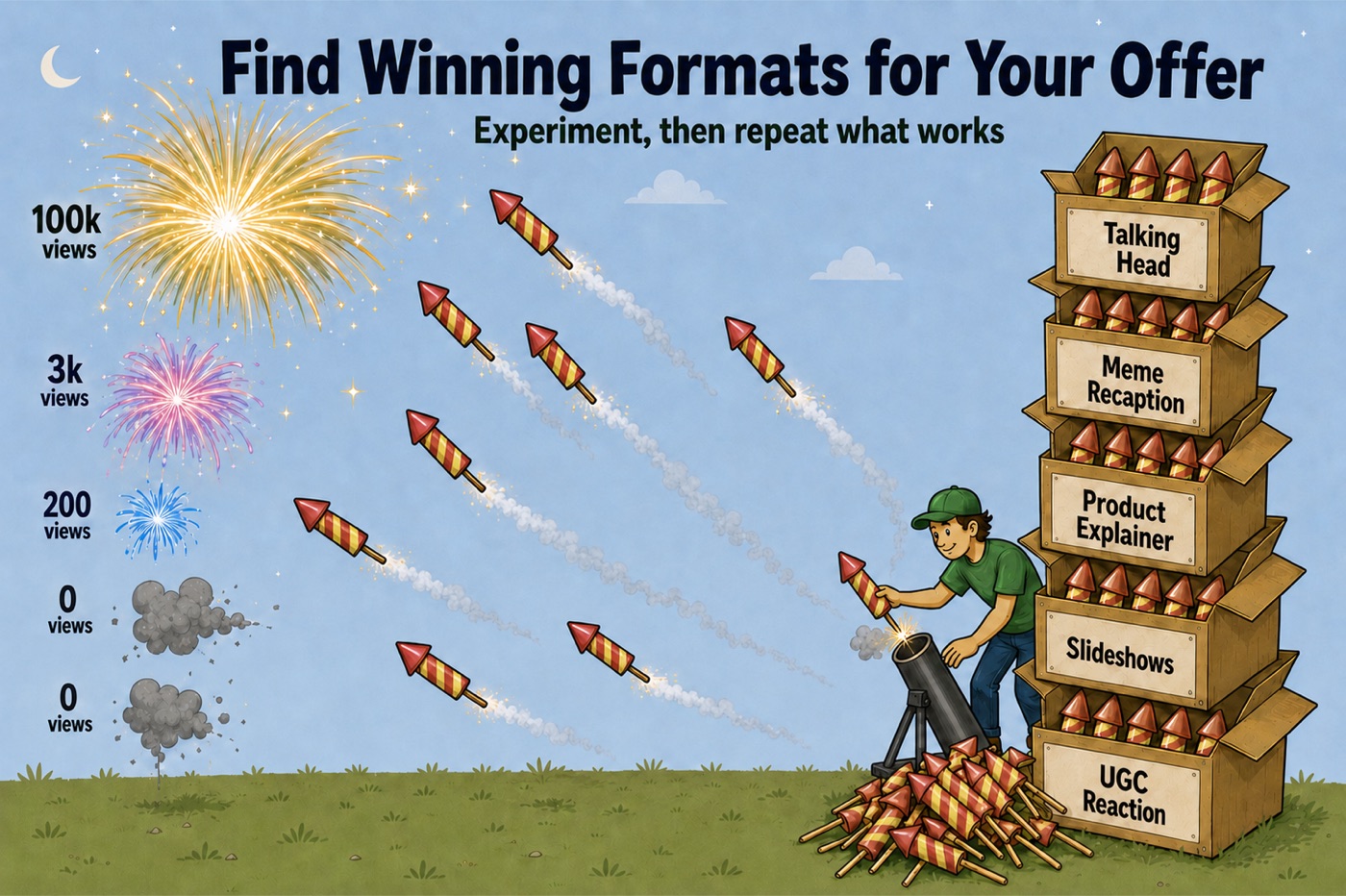
This is the argument for bulk generation stated plainly: testing formats used to be slow and expensive, so people picked one and defended it. When a video costs 10¢ — or nothing — you can launch talking head, meme re-caption, product explainer, slideshow and UGC reaction against the same offer and let the audience decide. Then you double down on the winner and work out why it won. Was it the hook? Swap the hook and see if it gets better. Was it the loop?
The session ends on the formats that were working: egocentric point-of-view talking heads, kinetic typography templates pulled from Discover, and a walking-down-the-street shop script. Yours will be different — that is the entire point.
Channels and affiliatesStep 8 — approve, schedule, distribute
Approving a video on VidFarm gives you a shareable link. From there you bulk-approve and schedule — to your own channels, or to affiliate email at a set cadence.
The session schedules one video per day at 6pm to an email channel rather than a social account, because bigger affiliates generally want the file, not a connected account. Then it bulk-approves the sticker-pack batch to the next available slots, one per day, and checks the whole thing on the calendar.
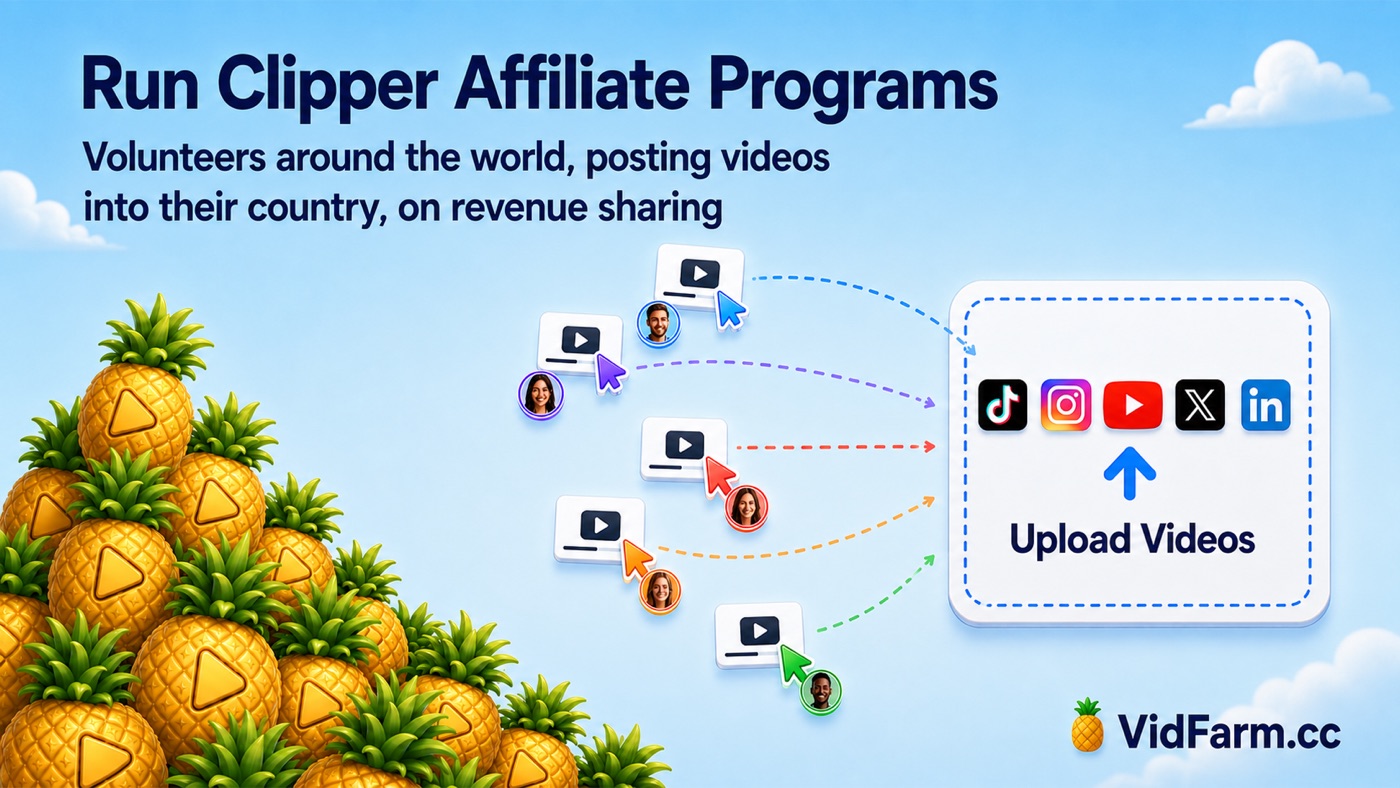
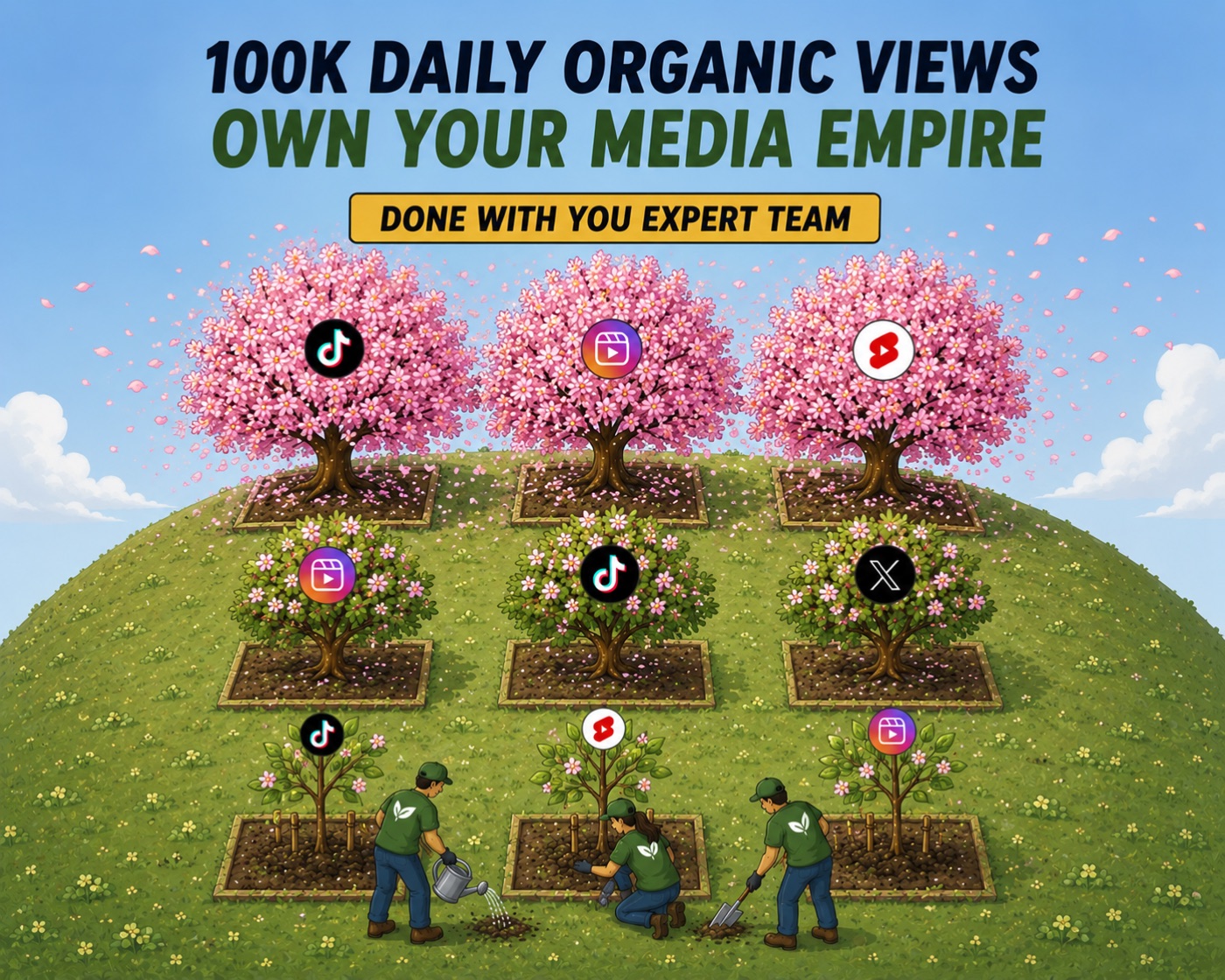
And this is where the compounding actually lives. More channels means more viral surface area — you can test more variations on the same day. More affiliates means more accounts, more countries, more chances that one of your tickets wins.
The workflow on one page
Everything above, in the order you would actually do it.
1. HOMEWORK      about-offer.md + about-customer.md in one folder.
                 Five whys on the customer. Verbatim quotes, not summaries.
2. CONSULTATION  Run the interview from your agent; answer it in
                 scratchpad.md. Let it compound: awareness -> angles ->
                 desires -> hooks.
3. CORRECT IT    Read the output. When it's wrong, the PREMISE is wrong.
                 Fix the folder, regenerate. Never hand-patch the video.
4. SOURCE RAWS   Stock, green-screen memes, reaction clips, demo
                 recordings, sticker packs -> named folders.
5. PICK TEMPLATES Browse Discover by category. Have an agent suggest
                 template IDs. Remix.
6. BULK GENERATE Jobs in parallel under a cost cap. Hybrid ~10c/video;
                 cost-saving mode + local render = free.
7. GATE ON QA    HARNESS.md per format: hook / curiosity loop /
                 payoff / bait. Every video is generated against it.
8. DISTRIBUTE    Approve for a shareable link. Bulk-schedule to channels
                 or affiliate email at a cadence. Check the calendar.
One last thing from the session
The closing advice in the recording is worth repeating, because it cuts against everything else on this page: narrate it yourself, or film yourself, when you can. The bulk pipeline is what gets you volume and coverage. Your own voice on top of it is what gets you quality. Do both — and keep feeding what you learn back into the harness while you script the next batch.
Do the homework, then let it run
Two markdown files and a consultation are what separate fifty relevant videos from fifty well-produced irrelevant ones. Then a cost cap, a harness, and a schedule do the rest. Cloud renders start at $0.01 — and local renders are free.
Next: scripting mode